Clean Backgrounds
Across Your Whole Catalog
Remove the background from each product photo with AI and export a transparent PNG to place on white in an external editor — so every listing on Shopify, Amazon, TikTok Shop, and Etsy looks consistent.
✓ Try 1 image free; login to download ✓ Transparent PNG export ✓ PNG / JPG / WebP
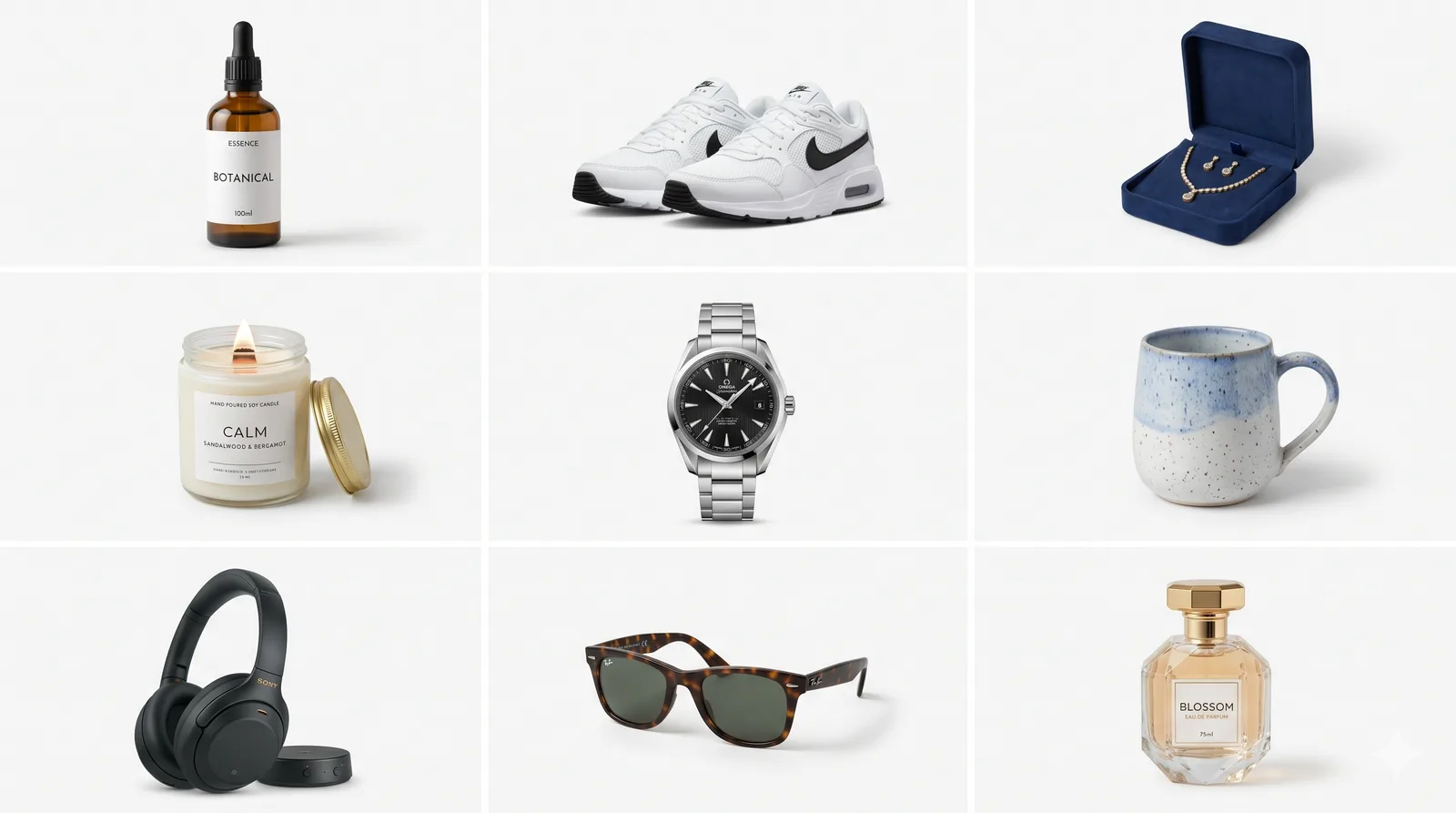
Illustrative example — not a ShotBG output.
Why Consistent Backgrounds Matter For A Catalog
When every product uses the same clean background, your store looks like one brand instead of a patchwork of re-lists.
AI generates an initial cutout; difficult edges may need manual correction
The same AI runs on every image; review edges and add matching white layers in an external editor across SKUs
Skip freelancers and subscriptions — upload, clean, download, repeat
The hidden cost of manual editing: photos edited by different freelancers end up with different edge-cutting styles, shadow choices, and white levels. Running every image through the same AI keeps one consistent visual identity across your listings — you just do it one photo at a time.
Target Specs For Each Platform
Plan the final layout in an external editor and check current marketplace guidance. ShotBG downloads one PNG; it has no crop, canvas-size, format-selection, or shadow-generation controls.
Amazon Main
- 2000×2000 square
- Pure white #FFFFFF
- Check the category’s current framing rules
- Add any permitted shadow externally
Shopify PDP
- 2048×2048 master
- Transparent PNG
- Leave space around the product
- No shadow
TikTok Shop
- 1080×1080
- Brand-color background
- High contrast edge
- Convert to WebP externally if needed
Etsy Hero
- 2000×2000
- Soft neutral gradient
- Keep the whole product visible
- Convert to JPG externally if needed
Facebook DPA
- 1200×628
- Transparent PNG
- Centered product
- No text overlay
Pinterest Pin
- 1000×1500 (2:3)
- Branded scene
- Leave room for the intended layout
- PNG export
A Simple Per-Photo Workflow
Upload a photo
Drop a JPG, PNG, or WebP — large images resize automatically.
AI removes the background
AI generates a cutout; inspect edges and correct them in an external editor if needed.
Pick a background
For an AI scene, choose Pro custom generation from a text prompt before processing; otherwise export a transparent PNG.
Download the PNG
Sign in to download; add exact white in an external editor if needed, then review for Shopify, Amazon, etc.
Repeat for the next
Work through your catalog one photo at a time.
Handy For Sellers With Lots Of Products
Catalog managers
Give every product thumbnail the same clean background so the whole catalog looks consistent.
Amazon & marketplace sellers
Export transparent PNGs, then add exact white in an external editor and check marketplace image guidelines.
Print-on-demand operators
Create clean cutout masters for your mockups without opening Photoshop.
Dropshippers
Replace busy supplier photo backgrounds so your listings look established, not resold.
Small agencies & freelancers
Keep a consistent edit quality across client product photos without extra tooling.
Social & ad creative
Get clean transparent cutouts to drop into posts, banners, and product ads.
A Photo Background Remover For More Than Product Shots
The same background removal works on any still photo — not just catalog products. Upload a portrait, a pet, a person, or an object, and export it as a transparent PNG, or generate a custom background from a text prompt on Pro. It processes one image at a time and outputs a PNG; it is not a video background remover.
Products & packaging
The core use — clean, consistent catalog and marketplace images.
People & portraits
Isolate a person for a headshot, ID photo, or social post; a clear original gives the cleanest hair edges.
Pets & animals
Cut a pet out of a busy background; fine fur comes out best on a reasonably sharp photo.
Objects & props
Remove the background from any single object to reuse it in a design or listing.
Social & thumbnails
Make a transparent PNG to drop onto a banner, thumbnail, or slide.
Any still image
PNG, JPG, or WebP in; a transparent PNG or Pro custom AI scene out, one image at a time.
Cut Out Or Clear The Background: Which Do You Need?
"Cut out background" and "clear background" describe the same first step — separating the subject from what is behind it. What you do next decides the file you export.
| Your goal | Export | Why |
|---|---|---|
| Reuse the product in a banner, mockup, or ad | Transparent PNG | No background pixels, so it sits on any color or photo you place it on. |
| Marketplace or catalog main image | White added in an external editor | Most marketplaces ask for a plain white background; check the current rules of the one you sell on. |
| Keep editing in a design tool | Transparent PNG | Keeps the cutout as its own layer, so you can move or resize it freely. |
| Smallest file for a plain-background photo | White background, JPG (external editor) | JPG has no transparency; use an external editor to flatten onto white and convert only when you no longer need to move the subject. |
How to cut out a background in four steps
- Upload one JPG, PNG, or WebP photo. Large images are resized in your browser first.
- Let the cutout run, then inspect the result. Processing time varies.
- Zoom in on the edges and check hair, straps, corners, and any gaps between the subject and its handles or legs.
- Sign in to download the transparent PNG; add exact white in an external editor.
What gives the cleanest edges
- Contrast: a subject that differs in color or brightness from its backdrop separates more cleanly than one that blends into it, such as a white mug on a white table.
- Sharpness: a blurred edge has no clear line to follow, so shoot or pick the sharpest frame you have.
- See-through materials: glass, thin plastic, and fine mesh show the background through them, so the result can keep or lose part of that tint. Check these first.
- Enough resolution: very small images leave little edge detail to work with, so start from the largest original you have.
Want it on pure white instead? See the white background generator or the transparent background maker.
Illustrative Cutout and Finishing Steps
A mixed-background JPG with a distracting backdrop
→ A PNG cutout to review in your intended layout
Yellow, blue, and grey backdrops across product variants
→ Add exact white #FFFFFF in an external editor after removal
A supplier photo that looks resold
→ A clean cutout that looks like your own brand
Busy props and shadows behind the product
→ Just the product, isolated on a clean background
Frequently Asked Questions
How does ShotBG help with a whole catalog?
How many free images do I get?
Will the AI handle every product type consistently?
Can I choose the background for each image?
What file formats are supported?
Is there a batch API, Zapier, or Make integration?
Can I use this as a general photo background remover, not just for products?
What is the difference between cutting out a background and clearing it?
Why is my cutout PNG showing a white or checkered background?
Does cutting out the background also remove the shadow?
Does it work on people and pets, or only products?
Give Your Catalog A Consistent Look
Try 1 image free without signing up; log in to download without a watermark.