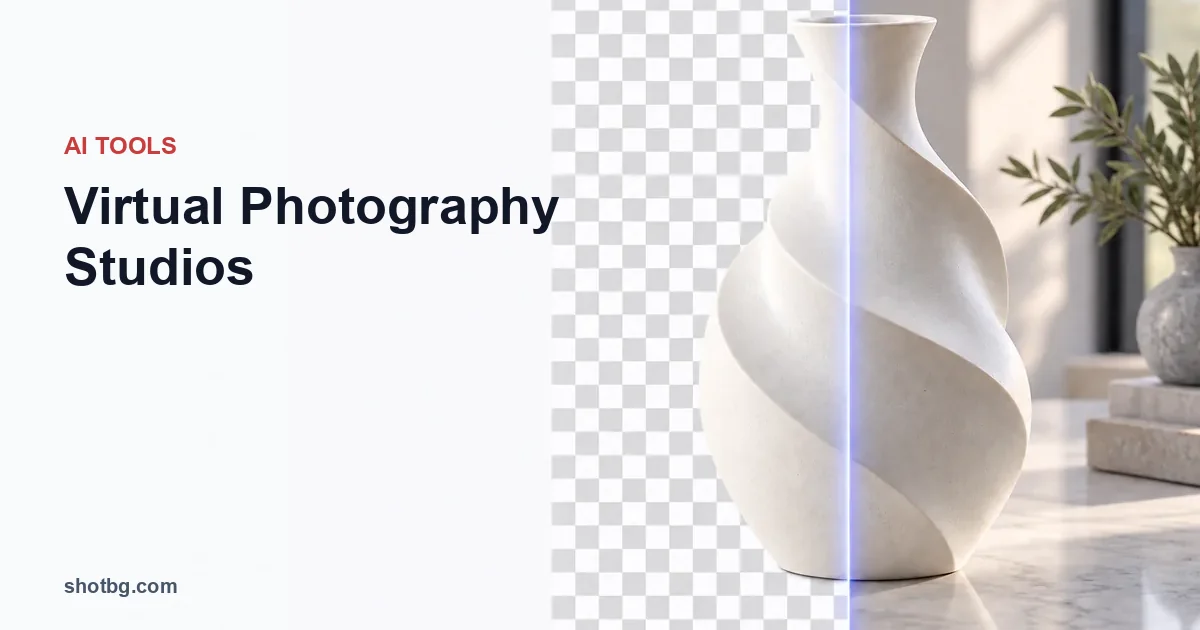
Traditional product photography requires expensive equipment, studio space, and hours of manual editing. What if you could create professional product photos from your laptop—no camera required?
Welcome to the era of virtual photography studios powered by AI. In 2026, businesses are ditching physical studios for virtual ones, cutting costs by 70% while producing higher-quality images faster than ever before.
This comprehensive guide reveals everything you need to know about virtual photography studios: what they are, how they work, the best tools available, and how to integrate them into your e-commerce workflow.
What is a Virtual Photography Studio?
A virtual photography studio uses AI and 3D technology to create professional product photographs entirely on a computer. Unlike traditional studios with cameras, lights, and backdrops, virtual studios generate photorealistic images through software.
The Technology Behind Virtual Studios
Modern virtual photography combines three core technologies:
1. AI Image Generation
- Deep learning models trained on millions of professional photos
- Automatic lighting, shadow, and reflection simulation
- Instant background generation and scene composition
2. 3D Modeling & Rendering
- Photorealistic product models from 2D photos
- Virtual camera angles and perspectives
- Advanced material simulation (glass, metal, fabric)
3. Automated Post-Processing
- AI-powered color correction and enhancement
- Batch processing for thousands of products
- Platform-specific optimization (Amazon, Shopify, etc.)
Virtual Studio vs. Traditional Studio
| Aspect | Traditional Studio | Virtual AI Studio |
|---|---|---|
| Setup Cost | $5,000-$50,000 | $0-$500/month |
| Per Photo Cost | $25-$150 | $0.10-$5 |
| Time Per Photo | 30-60 minutes | 2-5 seconds |
| Equipment Required | Camera, lights, backdrop | Computer + internet |
| Skill Level | Professional photographer | Beginner-friendly |
| Scalability | Limited by time/space | Unlimited batch processing |
| Consistency | Varies by shot | 100% consistent |
| Flexibility | Reshoot required | Instant variations |
Why Virtual Photography Studios Are the Future
The shift to virtual studios isn't just a trend—it's a fundamental transformation of product photography driven by economic and technological forces.
1. Massive Cost Reduction
Traditional Studio Monthly Costs:
- Studio rent: $2,000-$8,000
- Equipment: $1,000+ (depreciation)
- Photographer salary: $3,500-$7,000
- Editing time: $1,500-$3,000
- Total: $8,000-$19,000/month
Virtual Studio Monthly Costs:
- Software subscription: $50-$500
- Learning curve: Minimal
- Total: $50-$500/month
Savings: 90-97% reduction in fixed costs
2. Unprecedented Speed
- Traditional: 30-60 minutes per product (shoot + edit)
- Virtual AI: 2-5 seconds per product
- Volume capacity: Process 1,000+ products per day
For e-commerce businesses with large catalogs, this speed advantage translates to weeks saved and faster time-to-market.
3. Perfect Consistency
AI-powered virtual studios eliminate human variability:
- Identical lighting across all products
- Consistent color temperature and exposure
- Standardized composition and framing
- Brand-perfect results every time
Amazon and other marketplaces reward this consistency with higher search rankings and conversion rates.
4. Infinite Flexibility
Need seasonal variations? Different backgrounds? Multiple angles? With virtual studios:
- Generate 20 variations in seconds
- Test A/B scenarios without reshoots
- Adapt to platform requirements instantly
- Create lifestyle scenes from product shots
5. Scale Without Limits
Traditional studios hit capacity quickly. Virtual studios scale infinitely:
- Process one product or 10,000 products
- No scheduling conflicts or bottlenecks
- Same per-unit cost regardless of volume
- Global team collaboration without location constraints
Types of Virtual Photography Studios
Virtual photography isn't one-size-fits-all. Different approaches serve different needs.
1. AI Product Photography Platforms
Best for: E-commerce sellers, marketplaces, catalog photography
These all-in-one platforms transform simple product photos into professional marketing images using AI.
How they work:
- Upload a basic product photo (even smartphone quality)
- AI removes background automatically
- Select from hundreds of scene templates
- AI generates professional lighting, shadows, reflections
- Download marketplace-ready images
Popular platforms:
- Claid AI: End-to-end workflow with batch processing
- RewarxStudio: High-fidelity 4K commercial assets
- PicCopilot: Amazon and Shopify optimization
- ShotBG: One-click background replacement with AI enhancement
Pricing: $29-$199/month for 100-1000 images
2. 3D Modeling Virtual Studios
Best for: High-end products, complex visualization, 360° views
Create photorealistic 3D models of products that can be rendered from any angle with any lighting.
How they work:
- Create or scan a 3D model of your product
- Set up virtual lighting rigs and environments
- Position virtual camera and set parameters
- Render photorealistic images
- Generate unlimited variations without reshooting
Popular tools:
- Adobe Substance 3D Stager: Professional virtual studio
- Blender: Open-source 3D modeling and rendering
- KeyShot: Real-time rendering for product visualization
Best use cases:
- 360° product spins
- Interactive product configurators
- Complex technical products
- High-end luxury goods
Pricing: Free (Blender) to $65/month (Adobe) or $2,000+ (KeyShot perpetual)
3. Virtual Model & Fashion Studios
Best for: Apparel, accessories, fashion e-commerce
AI-generated virtual models wearing your products—no photoshoot required.
How they work:
- Upload flat-lay product photo
- Select AI model (diverse ethnicities, body types, ages)
- Choose pose and setting
- AI generates model wearing your product
- Download for web or social media
Popular platforms:
- Photta: Virtual fashion photography with AI models
- bitStudio: Automated fashion product photography
- PhotoShed: Virtual twin avatars and model agency
Pricing: $49-$299/month depending on volume
4. Hybrid Remote Virtual Studios
Best for: Complex products, brand photography, creative direction
Professional photographers operate real studios remotely via video call, delivering images digitally.
How they work:
- Ship product to remote studio
- Connect via Zoom/video call
- Direct photographer in real-time
- Review shots live during session
- Receive edited images within 24-48 hours
Popular services:
- Soona: Virtual product photography with live direction
- Fotografía remota studios: Professional remote sessions
Pricing: $39-$399 per session
Top Virtual Photography Studio Tools for 2026
Based on extensive testing and user reviews, here are the best platforms by use case.
Best All-in-One: Claid AI
What it does: End-to-end product photography automation with AI photoshoot, background removal, upscaling, and batch processing.
Key features:
- API and Zapier integration for workflow automation
- Process thousands of SKUs in minutes
- 2-3 seconds per image enhancement
- Platform requirement compliance (Amazon, Shopify)
- C2PA content authentication for AI transparency
Best for: High-volume e-commerce sellers, agencies managing multiple clients
Pricing: Custom pricing, free trial available
Best for Product Photography: ShotBG
What it does: AI-powered background removal and replacement for product photos with one-click enhancement.
Key features:
- Instant background removal and replacement
- Professional lighting and shadow generation
- Batch processing capabilities
- Pre-designed templates for various industries
- Marketplace optimization
Best for: E-commerce sellers, small to medium businesses
Pricing: Free tier available, premium plans from $29/month
Best for Fashion: Photta
What it does: Virtual fashion photography with AI-generated models and professional retouching.
Key features:
- Diverse international model roster
- Multiple poses and settings
- On-model apparel visualization
- Brand-consistent results
- Fast turnaround (minutes, not days)
Best for: Fashion brands, apparel e-commerce
Pricing: Starting at $49/month
Best for 3D Visualization: Adobe Substance 3D Stager
What it does: Professional virtual photo studio for staging 3D scenes from scratch with photorealistic rendering.
Key features:
- Extensive 3D model library
- Advanced material authoring
- Realistic lighting simulation
- Camera and lens effects
- Integration with Adobe Creative Cloud
Best for: Product designers, premium brands, 3D artists
Pricing: $65/month (includes all Substance 3D apps)
Best Free Option: Blender
What it does: Open-source 3D modeling, rendering, and virtual photography suite.
Key features:
- Complete 3D workflow (modeling, animation, rendering)
- Cycles and Eevee render engines
- Extensive add-on ecosystem
- Active community and tutorials
- No licensing costs
Best for: Budget-conscious businesses, 3D artists, learning virtual photography
Pricing: 100% free and open-source
How to Set Up Your Virtual Photography Studio (Step-by-Step)
Ready to transition from traditional to virtual? Follow this implementation roadmap.
Phase 1: Assess Your Needs (Week 1)
1. Audit Your Current Process
- How many products do you photograph monthly?
- What's your current cost per photo?
- What platforms do you sell on?
- What image styles do you need (white background, lifestyle, etc.)?
2. Define Success Metrics
- Target cost reduction
- Speed improvement goals
- Quality standards
- Consistency requirements
3. Choose Your Virtual Studio Type
- AI product photography platform → Most e-commerce
- 3D modeling studio → Complex products, 360° needs
- Virtual model studio → Apparel and fashion
- Hybrid remote studio → High-touch creative needs
Phase 2: Tool Selection & Testing (Week 2)
1. Trial Top Platforms
Most virtual studio platforms offer free trials. Test these workflows:
- Upload 10 representative products
- Process through each platform
- Compare output quality, speed, ease of use
- Calculate cost per image at your volume
- Test integration with your existing workflow
2. Evaluation Criteria
Rate each platform on:
- Image quality (1-10): Realism, lighting, shadows
- Speed (1-10): Processing time, batch capabilities
- Ease of use (1-10): Learning curve, interface
- Cost (1-10): Value for your volume
- Integration (1-10): API, Zapier, workflow fit
3. Select Your Primary Tool
Choose the platform with the highest total score for your specific use case.
Phase 3: Workflow Integration (Week 3-4)
1. Create Standard Operating Procedures (SOPs)
Document your new workflow:
Example SOP for AI Product Photography:
1. Capture basic product photo (smartphone OK)
2. Upload to [Platform Name]
3. Apply preset: [Template Name]
4. Review automated result
5. Make manual adjustments (if needed)
6. Export: [Resolution] / [Format] / [Naming convention]
7. Upload to [E-commerce platform]2. Set Up Batch Processing
For high-volume operations:
- Create CSV with product IDs and specifications
- Use API or bulk upload features
- Set up automated quality checks
- Configure output folders by SKU
3. Integrate with Existing Tools
Connect your virtual studio to:
- Product Information Management (PIM) system
- E-commerce platforms (Shopify, WooCommerce, etc.)
- Digital Asset Management (DAM) system
- Marketing automation tools
Popular integrations:
- Zapier workflows
- API connections
- Direct platform integrations (Amazon, Shopify, Etsy)
Phase 4: Training & Rollout (Week 4)
1. Train Your Team
- Schedule 2-hour hands-on training session
- Create video tutorials for common tasks
- Establish support channels for questions
- Designate a "virtual studio champion"
2. Run Parallel Operations
For the first month:
- Process 20% of products through virtual studio
- Compare results with traditional photography
- Gather team feedback
- Refine SOPs based on learnings
3. Measure Results
Track key metrics:
- Cost per image (before vs. after)
- Time per image (before vs. after)
- Quality scores (internal reviews)
- Conversion rate impact
- Return/complaint rates
Phase 5: Scale & Optimize (Month 2+)
1. Gradually Increase Volume
- Month 2: 50% virtual, 50% traditional
- Month 3: 80% virtual, 20% traditional
- Month 4+: 100% virtual (reserve traditional for special cases)
2. Optimize Based on Data
- Identify which product categories work best
- Refine templates and presets
- Automate repetitive steps
- Eliminate bottlenecks
3. Expand Capabilities
Once comfortable with basics:
- Test lifestyle scene generation
- Experiment with seasonal variations
- Create A/B test image sets
- Generate social media content from product shots
Best Practices for Virtual Photography Success
1. Input Quality Matters
While AI can work miracles, starting with better inputs produces better outputs:
Lighting:
- Use even, diffused lighting (avoid harsh shadows)
- Natural window light or softbox lighting works well
- Consistent lighting across all products
Background:
- Solid, contrasting backgrounds work best
- White or neutral backgrounds ideal for automatic removal
- Avoid busy or patterned backgrounds
Product Positioning:
- Center the product in frame
- Show the product flat or in natural orientation
- Capture multiple angles if needed
Resolution:
- Minimum 2000px on longest side
- Higher resolution = better AI processing
- Smartphone cameras (iPhone 12+, modern Android) are sufficient
2. Create Template Libraries
Save time by building reusable templates:
By Product Category:
- Electronics → Clean tech aesthetic
- Fashion → Lifestyle scenes
- Food → Appetizing warm tones
- Home goods → Styled room settings
By Platform:
- Amazon → White background, standardized
- Instagram → Lifestyle, aspirational
- Website → Multiple angles, detailed
By Season:
- Spring → Bright, fresh backgrounds
- Summer → Vibrant, outdoor scenes
- Fall → Warm, cozy settings
- Winter → Holiday, festive themes
3. Maintain Brand Consistency
Virtual studios make consistency easier, but you must define standards:
Color Guidelines:
- Set exact color profiles for backgrounds
- Define brand color usage rules
- Establish color correction standards
Composition Rules:
- Product positioning (centered, rule of thirds, etc.)
- Padding/whitespace requirements
- Angle standards (45°, overhead, etc.)
Lighting Style:
- Warm vs. cool lighting temperature
- Hard vs. soft shadow preferences
- Highlight and contrast levels
4. Optimize for Each Platform
Different marketplaces have different requirements:
Amazon:
- Pure white background (RGB 255, 255, 255)
- Product fills 85% of frame
- 2000px minimum on longest side
- sRGB color space
Instagram:
- 1:1 square or 4:5 portrait ratio
- Lifestyle contexts perform better
- Vibrant colors and contrast
- Text overlays for ads
Shopify/Website:
- Multiple angles (front, side, back, detail)
- Zoom-friendly high resolution (3000px+)
- Consistent background across catalog
- Fast-loading file sizes (WebP format)
5. Quality Control Checklist
Before publishing virtual photography:
- Subject edges are clean (no artifacts)
- Shadows and reflections look realistic
- Lighting matches product material (matte vs. glossy)
- Background perspective is correct
- Colors match actual product
- Image meets platform requirements
- File is properly named and tagged
- Metadata includes relevant keywords
Virtual Photography Studio Costs & ROI
Startup Costs
Minimal Setup (DIY)
- AI platform subscription: $29-$99/month
- Smartphone or basic camera: $0 (already owned)
- Basic lighting: $50-$150 (optional, improves inputs)
- Total: $29-$249 first month
Professional Setup
- Premium AI platform: $199-$499/month
- DSLR camera: $500-$1,500
- Lighting kit: $200-$500
- 3D software: $65/month or $2,000 perpetual
- Total: $964-$2,564 first month
Operating Costs
Per-Image Costs:
- AI platforms: $0.10-$5 per image
- 3D rendering: $0 (after software cost)
- Time investment: 2-10 minutes per product
Monthly Costs (100 products/month):
- Low volume (100 images): $30-$100
- Medium volume (500 images): $100-$400
- High volume (2,000+ images): $300-$1,000+
ROI Calculation
Example: 500 products/month
Traditional Studio:
- Photographer: $5,000/month
- Studio rent: $3,000/month
- Equipment/maintenance: $500/month
- Editing time: $2,000/month
- Total: $10,500/month ($21/product)
Virtual AI Studio:
- Software subscription: $199/month
- Time cost (at $50/hr): $500/month (10 min/product)
- Total: $699/month ($1.40/product)
Savings: $9,801/month (93% reduction) Payback period: Immediate Annual savings: $117,612
Common Challenges & Solutions
Challenge 1: AI-Generated Images Look "Fake"
Problem: Unrealistic shadows, lighting mismatches, or obvious AI artifacts.
Solutions:
- Start with higher-quality input photos
- Use advanced settings for shadow/reflection control
- Manually refine lighting in post-processing
- Choose platforms with better rendering engines (RewarxStudio, Claid)
- For critical products, use hybrid approach (virtual + manual touch-up)
Challenge 2: Learning Curve and Adoption
Problem: Team resistance to new technology or difficulty learning new tools.
Solutions:
- Choose platforms with intuitive interfaces (ShotBG, Photta)
- Invest in comprehensive training (2-4 hours)
- Start with simple products and build confidence
- Create video tutorials for common tasks
- Celebrate early wins to build momentum
Challenge 3: Platform-Specific Requirements
Problem: Different marketplaces need different image specifications.
Solutions:
- Use platforms with preset templates for major marketplaces
- Create documented specifications for each channel
- Set up batch export with different profiles
- Use automation tools (Zapier) to route images correctly
Challenge 4: Complex Products
Problem: Transparent glass, reflective metals, fine details (lace, fur) are challenging for AI.
Solutions:
- Use specialized photography for complex items initially
- Test multiple AI platforms (some handle specific materials better)
- Consider 3D modeling for extremely complex products
- Keep traditional photography as backup for hero shots
Challenge 5: Color Accuracy
Problem: AI-generated images don't match actual product colors exactly.
Solutions:
- Calibrate your input device (camera/smartphone)
- Shoot in consistent lighting conditions
- Use color profiles (sRGB standard)
- Manual color correction in final editing
- Test print/display before publishing
The Future of Virtual Photography Studios
Virtual photography is evolving rapidly. Here's what's coming in 2026 and beyond:
1. Real-Time Virtual Production
Technologies from film and gaming industries are entering product photography:
- Unreal Engine integration: Real-time photorealistic rendering
- Virtual sets: Live preview of products in any environment
- Interactive configurators: Customers customize products and see instant results
2. Advanced AI Capabilities
Next-generation AI features on the horizon:
- Generative AI styling: Describe desired scene in text, AI creates it
- Automatic scene understanding: AI selects optimal backgrounds based on product type
- Emotion-driven optimization: AI generates images optimized for emotional response
- Video generation: From photos to product videos automatically
3. AR and Virtual Try-On
Integration with augmented reality:
- Virtual photography connects to AR experiences
- Customers visualize products in their space before buying
- Virtual fitting rooms for apparel
- 360° interactive product exploration
4. Blockchain and Authenticity
Addressing AI transparency concerns:
- C2PA content authentication: Embedded metadata proves image provenance
- NFT product photography: Blockchain-verified unique product images
- EU AI Act compliance: Required transparency for AI-generated commercial content
5. Democratization and Accessibility
Virtual studios becoming more accessible:
- Free and freemium AI tools (like ShotBG's free tier)
- Mobile-first virtual studios (shoot and edit on smartphone)
- No-code automation builders
- Small business and individual seller focus
Conclusion: Is a Virtual Photography Studio Right for You?
Virtual photography studios represent a fundamental shift in how product imagery is created. For most e-commerce businesses, the question isn't "if" but "when" to transition.
You Should Start Now If:
✅ You photograph 50+ products per month ✅ Your product catalog changes frequently ✅ You need consistent, standardized images ✅ You sell on multiple platforms with different requirements ✅ Your current photography costs exceed $500/month ✅ You need to scale production quickly ✅ You want to test multiple image variations
You Might Wait If:
⏸️ You photograph fewer than 10 unique products annually ⏸️ You have highly complex products requiring specialized photography ⏸️ Your brand relies on artistic, editorial-style photography ⏸️ You already have efficient, cost-effective traditional setup ⏸️ Your team has no bandwidth for learning new tools
Getting Started
The easiest way to begin:
- Sign up for free trials of 2-3 platforms (ShotBG, Claid, Photta)
- Test with 10 products representing your catalog
- Compare results against current photography
- Calculate ROI based on your volume and costs
- Choose one platform and commit to 90-day trial
- Measure results and iterate
Virtual photography studios aren't perfect for every situation, but for the vast majority of e-commerce product photography, they deliver better results, faster, at dramatically lower costs.
The future of product photography is virtual, AI-powered, and accessible to businesses of all sizes. The question is: will you lead or follow?
Frequently Asked Questions
Do I need photography skills to use a virtual studio?
No. Modern AI-powered virtual studios are designed for non-experts. If you can take a smartphone photo and upload a file, you can create professional product images. The software handles technical aspects like lighting, composition, and editing automatically.
How do virtual photos compare to real photography quality?
For standard product photography (white background, clean shots), AI virtual studios now match or exceed traditional photography quality. For artistic, editorial, or highly specialized photography, traditional methods may still have an edge, but the gap is narrowing rapidly.
Can customers tell if images are AI-generated?
High-quality virtual photography is indistinguishable from traditional photography to most viewers. However, transparency is important: some platforms include C2PA metadata indicating AI generation, and EU regulations (2026) may require disclosure for commercial use.
What products work best with virtual studios?
Solid, clearly-defined products work best: electronics, packaged goods, accessories, simple apparel, home goods. More challenging: transparent glass, reflective chrome, fine details like lace or fur, and irregular organic products. However, AI is improving rapidly in handling these edge cases.
How long does it take to process images?
AI platforms: 2-5 seconds per image (automated) 3D rendering: Minutes to hours depending on complexity Batch processing: Thousands of images in hours, not days
Do I still need a photographer?
For most product catalog photography, no. However, you might still use photographers for:
- Brand campaigns and hero shots
- Editorial and lifestyle content
- Complex creative direction
- Products that challenge AI capabilities
What happens if AI makes a mistake?
Most platforms offer manual editing tools to correct errors. You can also:
- Regenerate the image with different settings
- Use hybrid approach (AI + manual touch-up)
- Keep traditional photography as backup for critical images
Are there legal concerns with AI-generated images?
Key considerations:
- You typically own rights to AI-generated images (verify platform terms)
- EU AI Act (2026) may require disclosure of AI generation
- Use C2PA content authentication for transparency
- Ensure images accurately represent actual products (no false advertising)
How do I maintain brand consistency?
Virtual studios actually make consistency easier:
- Create and save brand-specific templates
- Define color profiles and lighting standards
- Use the same settings across all products
- Automate application of brand guidelines
What's the best platform for beginners?
For ease of use and quick results:
- ShotBG: Simplest interface, one-click results, free tier
- Photta: Great for fashion/apparel specifically
- Claid: Best for high-volume automation
For learning virtual photography deeply:
- Blender: Free, powerful, extensive tutorials available
Ready to transform your product photography? Start with a free trial of ShotBG today and see the difference AI-powered virtual studios can make for your business.


